
1. Introduction
If you are running Sitecore XP, you might be thinking of migrating to SitecoreAI. However, shifting to a new platform is not just plug and play of the existing website to a new site.
Your Sitecore XP deployment can include multiple custom components, templates, integrations, and personalization rules over the years. Some of these will still be relevant in your business while others may not be necessary.
Therefore, is it necessary to move all the files to SitecoreAI as they are? Or should you do a review of your current system and find some changes to make?
AI-driven methods can come in handy in this scenario. They can provide input into various aspects of the migration, including reviewing current infrastructure, mapping content, and identifying areas for consideration.
We will explore the potential of using AI for Sitecore XP to SitecoreAI migration, its capabilities, and some considerations before you begin.
2. Sitecore Migration: Why Lift and Shift Is Not Always Enough
Lift and shift mean shifting the existing solution to the new environment without nearly any changes. While this can be beneficial in certain scenarios, it is not necessarily the best way to go when you are on a move from Sitecore XP to SitecoreAI. Consider a site that has been on Sitecore XP for a few years. Over this period, the development team may have designed various templates for pages with comparable content. You can also have custom code, unused integrations, or unused content.
When shifting everything without checking first, you can find yourself in the position of creating the same complexity in the new platform. For instance, you could have five different templates for your website that do almost the same thing. Do not re-create all 5, instead consider whether they can be broken down into re-usable components. This can simplify the new implementation.
The idea isn't to change it all because you are transferred to a new platform. It's about knowing what you have and what you need to take with you into the future.
3. How Can AI Help with Sitecore Migration?
AI can support migration teams in some of the tasks that would otherwise be very manual. It can help identify the existing content structure, find common elements, and recommend the mapping of some of them from the old platform to the new platform.
One such AI-based migration tool is SitecoreAI Pathway. It makes it easier to work with site structures and content mappings, and it provides support for migration activities for existing Sitecore XM/XP websites.
This is not to say that all the functionality that you have on your current Sitecore XP deployment will be migrated automatically. The range of migration will depend on the tool, current implementation, and the needs of the new website.
Here are some examples of areas where AI support can be beneficial.
Review the existing content and templates
If you have a huge website, you might have hundreds or thousands of web pages. Manually reviewing each page can take a lot of time, specifically if the site has been updated regularly over the years.
AI-assisted tools can be useful in analyzing existing sites, finding templates with a similar structure, and identifying content that is similar. This may help the team to figure out what can be integrated, modified, or reused throughout the migration.
If multiple pages have a similar structure, for instance, then the migration team could investigate if the same content model or re-usable component could be used in SitecoreAI.
It is still important to keep in mind the purpose of each page and what business needs it serves, when deciding on the final outcome.
Map Existing Components
An important component of Sitecore XP to SitecoreAI migration is to know how the existing components will be used in the new architecture.
Your current implementation might have custom renderings, templates and components that can't be easily copied to the target platform.
AI can offer suggestions for mapping existing structures and the new content models or components. Then developers can view these suggestions and change them as needed.
This can reduce monotonous work, but it doesn't take the place of technical planning.
Recognize areas for Improvement
The period of migration is also an ideal time to gauge the effectiveness of what has been working and what has changed.
It's possible that some of the content on your present website can still be utilized. Others might need to be removed or redesigned.
The use of AI tools can assist teams in finding similar structures and potential improvement zones. The team can then determine what changes are needed and what is not needed.
This way, the unnecessary complexity isn't shifted into the new implementation.
4. How to migrate from Sitecore XP to SitecoreAI – Approach with AI
AI tools are just a part of the solution. A clear migration plan is still required.
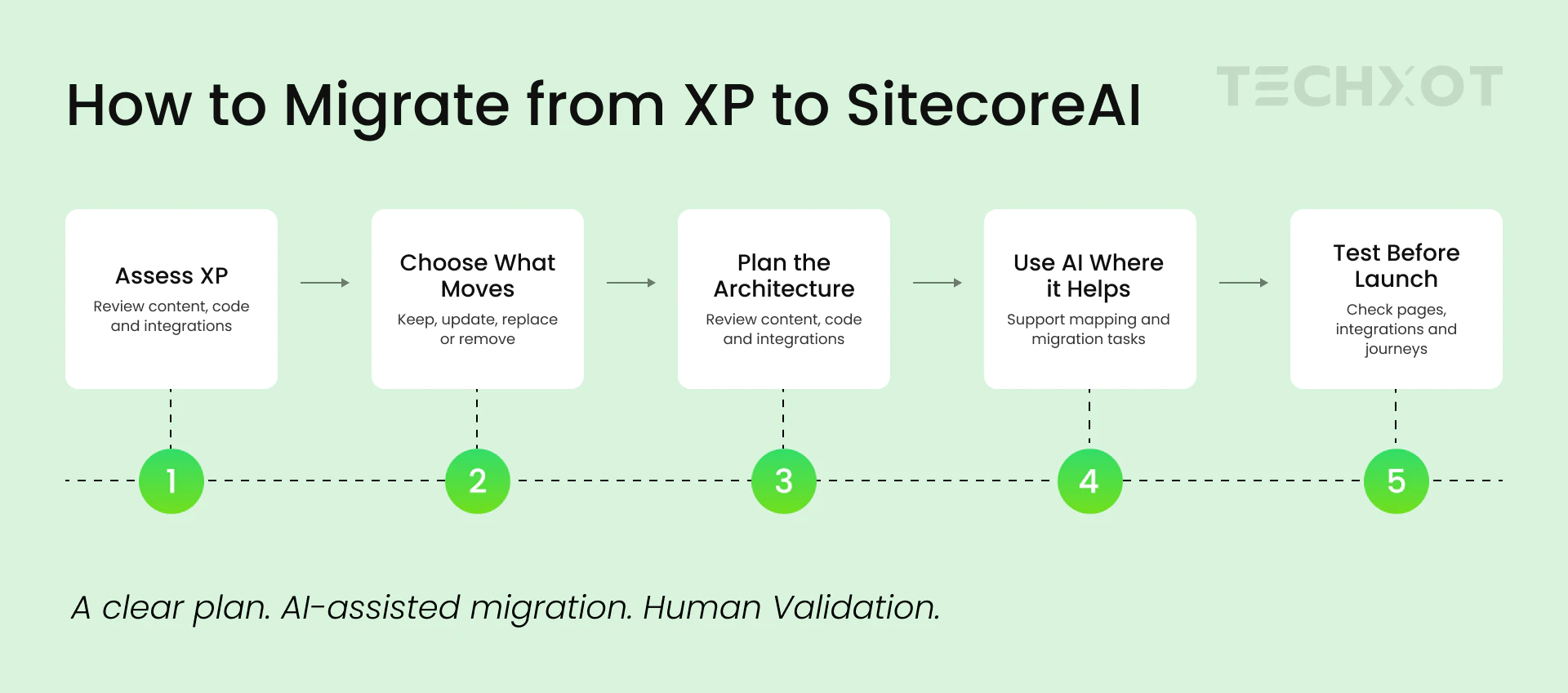
Identify your current Sitecore XP environment
Prior to beginning, review existing implementations.
Consider Sitecore version, templates, components, custom code, integrations, content, and personalization needs.
Also, know what features are still being utilized in your business. This will help you to understand what you need to move and what you can remove.
This evaluation is essential if you don't have it; it is hard to estimate the work.
Determine what needs to be moved
Not all of your current implementation will necessarily be transferred to SitecoreAI.
Some pages might, for instance, be outdated with regard to information. There are some templates that have similar functionality and some integrations that are no longer needed.
Make a list of what should be kept in place for the content, components, and features. Determine what needs to be changed, replaced, or eliminated.
This will also assist you in determining the scope of the migration project.
The planning for the New Architecture follows.
Plan the New Architecture
SitecoreAI is not deployed on Sitecore XP itself. Hence, the new solution should be planned with regard to the target architecture.
Determine the structure of content, what will be reused, and how the necessary integrations will be implemented.
Defining the structure can be assisted by AI mapping, but the developers should determine that the structure is the same as the needs of the user.
Employ AI-Assisted Tools in the Right Place
Acknowledging the source implementation and the target structure, this helps in determining the activities for migration that can be supported by AI.
For supported content and structures, SitecoreAI Pathway can help with migration activities. Other tasks might need custom development, or a separate approach would be needed.
For example, business logic that is custom or integration with an external system may require separate review and implementation.
Before you think they can be done automatically, it is important to understand these requirements.
Test the Website before Launching
Before rolling out a new site, you should test it.
Once migrated, test website function.
Review the content, page layouts, navigation, integrations, analytics, and key user journeys. Your marketing team should also see that the content publishing process fulfils its needs.
Some problems might be detected during the AI assisted checks, but it will be necessary to review the results.
Testing must not to be the last option. You can test for problems and make adjustments before launching your complete website by moving it to a small pilot site.
5. Considerations to keep in mind when using AI for Migration
While AI can help, there are a few things you should not miss out on when completing migration tasks.
Area | What to consider |
|---|---|
Content | Verify the pages that have been missed and that the information is accurate. |
Components | Discuss the part(s) that can be reused and the part(s) that must be redesigned. |
Custom code | Recognize functionality that is not suitable for development and testing within a single application. |
Personalization | Examine rules and determine the way to implement the required experiences in the target platform. |
Integrations | See if the existing integrations are compatible with the new implementation. |
Testing | Test migrated site prior to availability. |
A key factor is that it is not content migration and functionality migration.
For instance, you might have some personalization rules in your current site that serve different content to different visitors. If you move the content from the corresponding page, those rules will not be automatically recreated in SitecoreAI.
Some items such as xDB data, email marketing content, and personalization are not included in the scope of Sitecore's documented Pathway migration. When planning for your migration, you will need to consider these requirements individually.
It is important to be aware of these restrictions from the outset so that you can plan a more realistic migration.
6. Common mistakes to avoid
In fact, there are some pitfalls to be aware of that can complicate the Sitecore migration process.
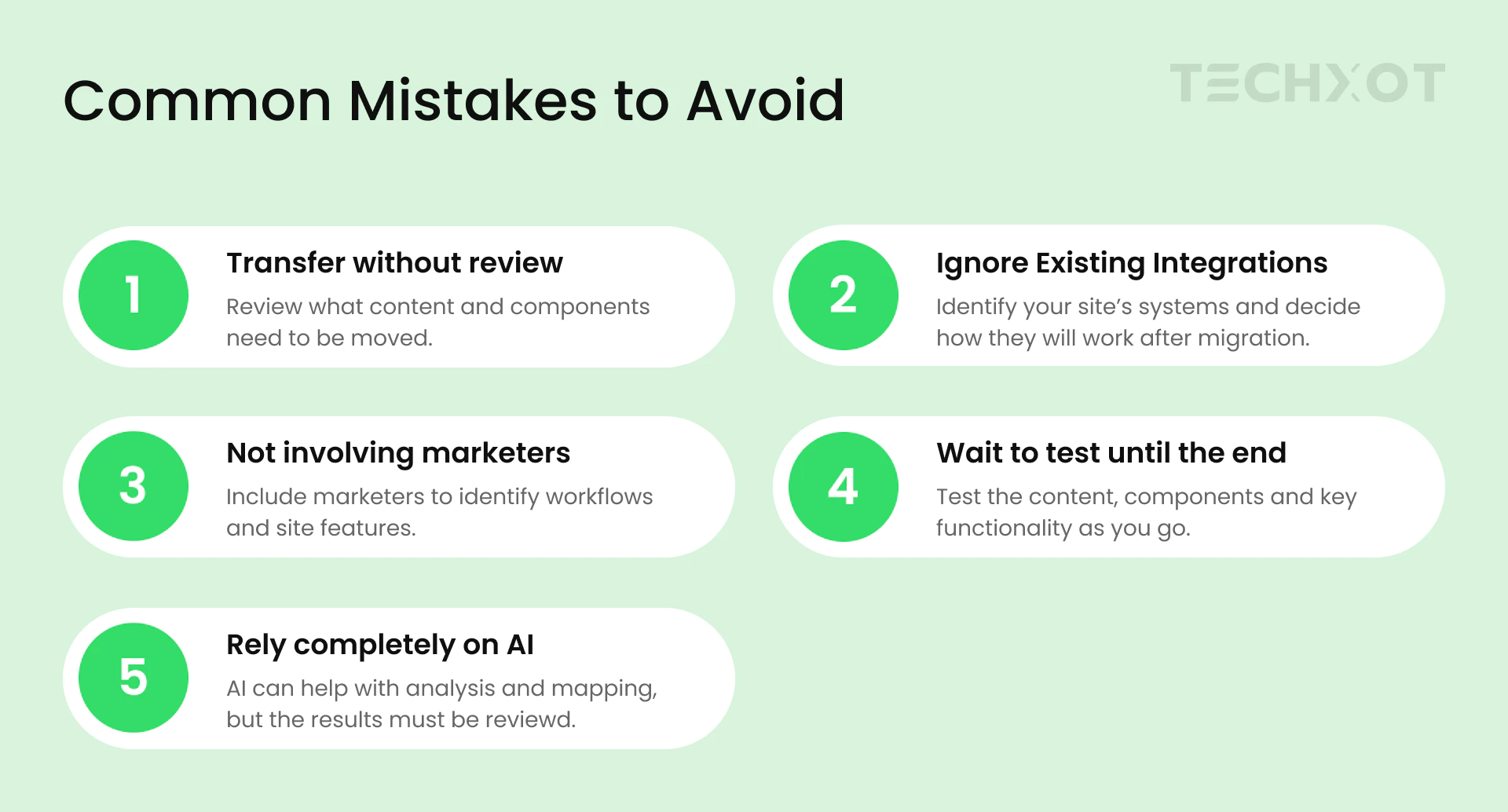
Transferring all of the contents without inspecting them. Review what content and components need to be moved.
Depending completely on AI. The analysis and mapping can be supported by AI, but it must be reviewed by the team.
Ignoring existing integrations. Determine your site's systems and what you're going to do with them post-migration.
Wait to test until the end. Test the content, components and key functionality as you go.
Not involving marketers. Developers can develop without understanding what is required while marketers/content editors can figure out which workflows and site features are crucial for everyday tasks.
7. Conclusion
The move to Sitecore XP to SitecoreAI is not simply a matter of porting your current Sitecore XP site to SitecoreAI. It's also a chance to review the current implementation and determine what needs to be improved.
Content analysis, content mapping, and certain repetitive migration tasks can be facilitated with AI assisted approaches. The results, however, are dependent on whether the existing implementation, the target architecture, and the amount of work that can be carried out separately.
Prior to initiating your Sitecore migration Services, consider your existing configuration, outline your needs, and determine the areas where AI can help.
At Techxot, we know each Sitecore deployment is unique. An accurate assessment can guide you as to what you need to do for the migration and then, what you should do next, depending on your business needs.