
Introduction
Reaching global audiences needs more than just translating it. Businesses should maintain brand voice, content structure, formatting, and accuracy while offering consistent digital experiences in a variety of languages. As traditional translation workflows frequently depend on manual procedures and third-party tools, managing multilingual information becomes time-consuming, hard to scale, and difficult to regulate.
What is the SitecoreAI Translator Agent?
The SitecoreAI Translator Agent is a built-in AI agent within SitecoreAI that lets users translate AI-based content directly within the Sitecore ecosystem. The agent generates localized versions of information while maintaining headings, formatting, hyperlinks, and general content structure, as opposed to depending on third-party translation tools. Sitecore's current content procedures can then be used to review, edit, and publish the translated content.
Why Use the SitecoreAI Translator Agent?
Multiple tools, manual copy-and-paste procedures, and lengthy review cycles are often required when managing multilingual content using traditional translation methods. By incorporating AI-powered translation straight into the content development method, the SitecoreAI Translator Agent simplifies this procedure.
With the Translator Agent, organizations can:
Translate content into multiple languages from a single workflow.
Preserve content structure, formatting, headings, and links.
Reduce manual translation effort and turnaround time.
Review and refine translations before publishing.
Deliver consistent multilingual digital experiences while maintaining governance within Sitecore.
Key Features of Translator Agent within SitecoreAI
AI-Powered Translation
Generate accurate translations using AI directly within the Sitecore authoring experience.Multiple Language Support
Translate content into one or more supported languages from a single workflow.Preserve Content Structure
Maintain headings, rich text formatting, links, and content hierarchy during translation.Integrated Authoring Experience
Translate and manage multilingual content without switching to external translation tools.Faster Content Localization
Reduce the time required to prepare multilingual websites for publishing while improving author productivity.
How the Translation Workflow Operates
The SitecoreAI Translator Agent creates and maintains multilingual content directly within Sitecore using a simple workflow.
Select an existing Sitecore page for translation.
Choose one or more target languages.
The Translator Agent sends the content to SitecoreAI for translation.
AI generates translated content while preserving the original structure and formatting.
The translated language versions are created or updated in Sitecore.
Review, edit, and publish the localized content using the standard Sitecore publishing workflow.
Real-World Example: Translating a Blog with the SitecoreAI Translator Agent
Let’s step through the process of translating an existing English blog into another language straight within SitecoreAI to show how the Translator Agent functions in real life.
Open the Translator Agent
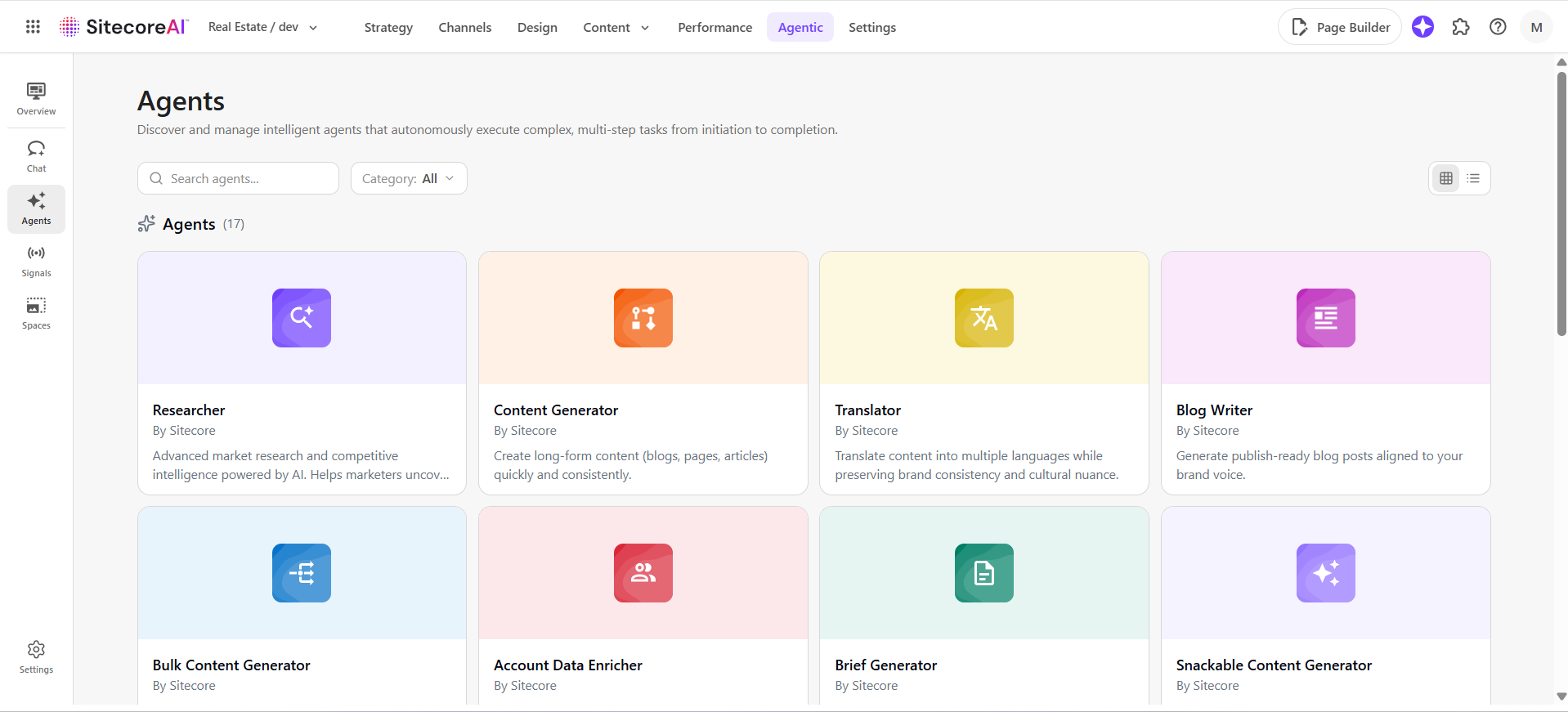
Navigate to the Translator Agent from the SitecoreAI Agents page.
The Translator Agent enables authors to translate AI-generated content into one or more supported languages without leaving the SitecoreAI workspace.
Select the Content to Translate
The Translator Agent lets you reuse content produced by another SitecoreAI agent.
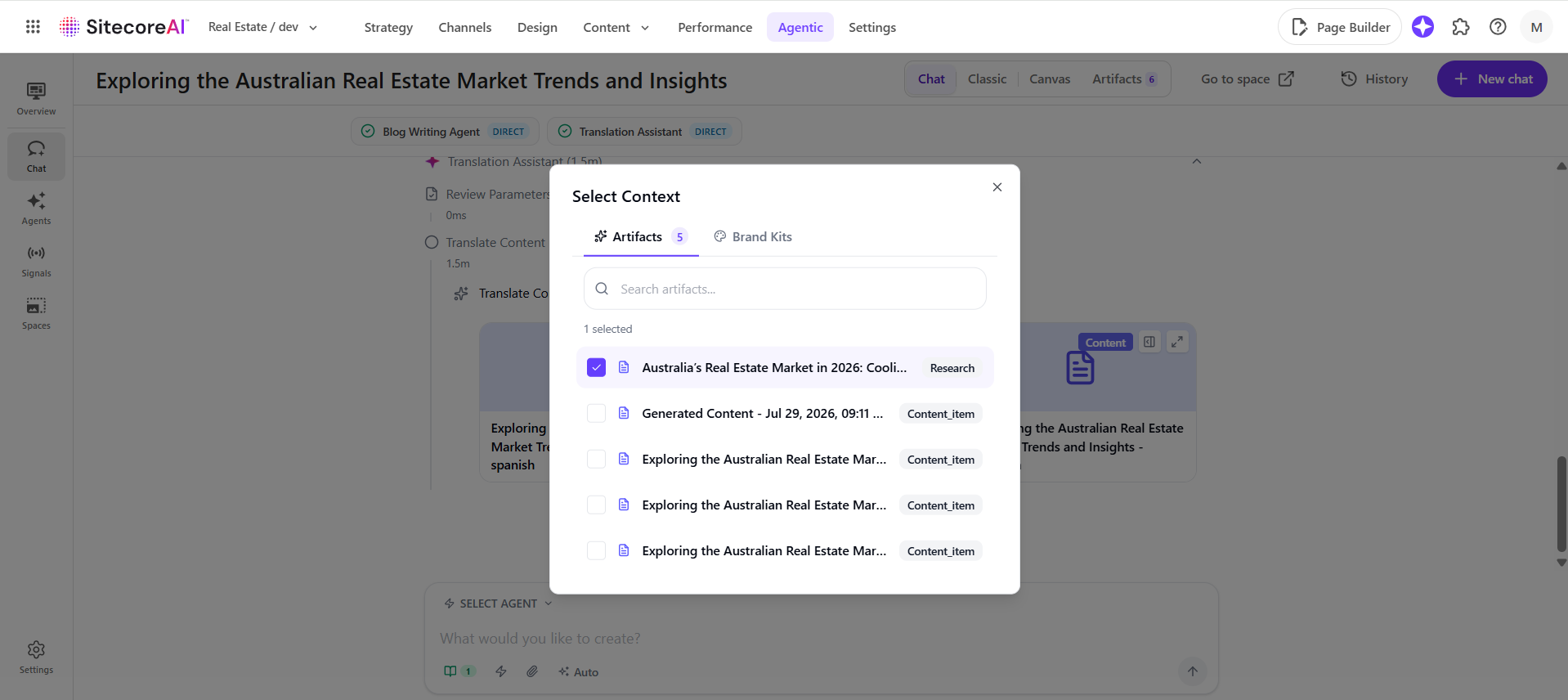
Click on the Context icon located under the prompt box to open the Select Context dialog.
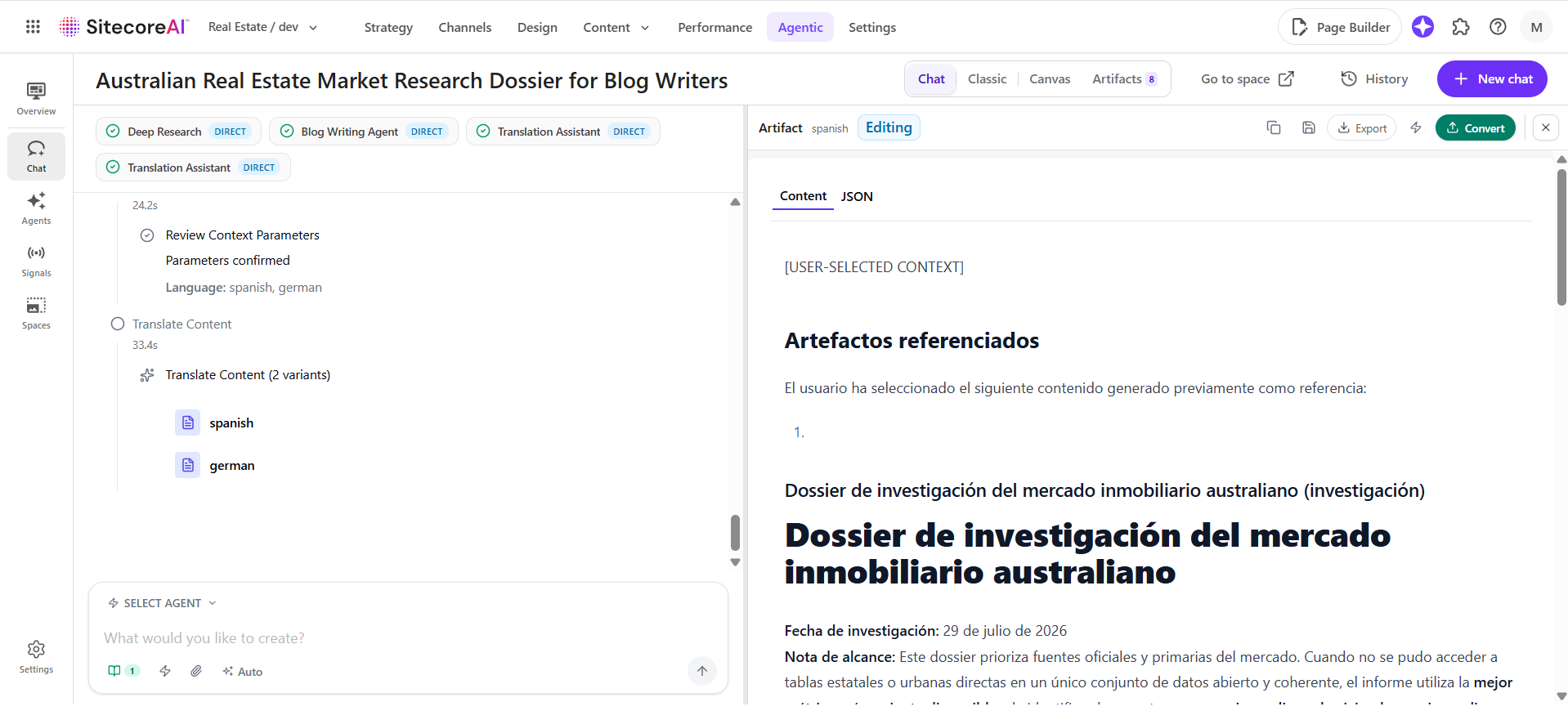
Using the Artifacts tab, choose the content artifact you wish to translate. After selecting the artifact, confirm your selection to attach it as the translation source.
This artifact-based workflow allows authors to continue working with previously generated content without manually copying or locating content items within Sitecore.
Select the Target Language
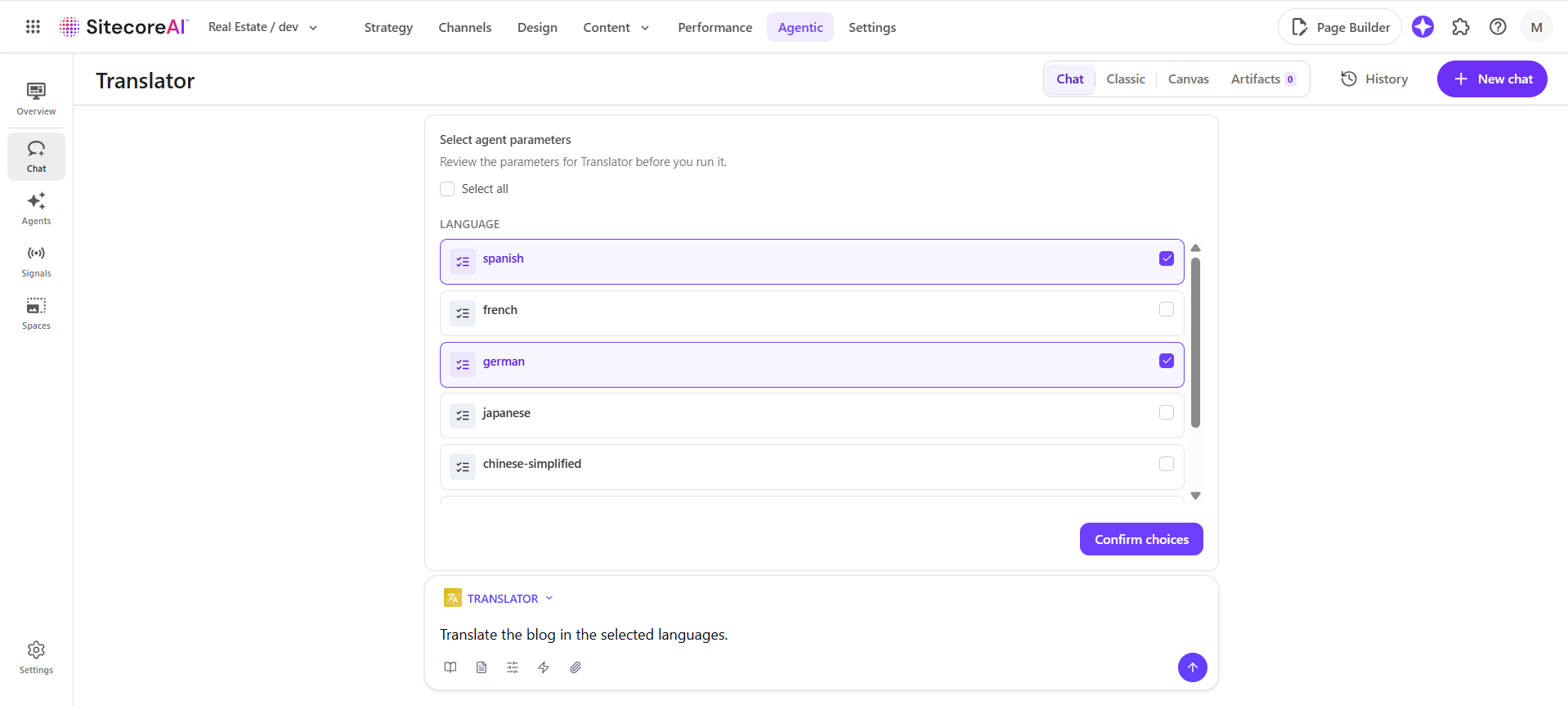
Select targeted languages from the list available and click Confirm Choices.
The Translator Agent will generate translated versions of these selected languages using a single prompt, simplifying multilingual content creation for global audiences.
Generate the Translation using Prompt
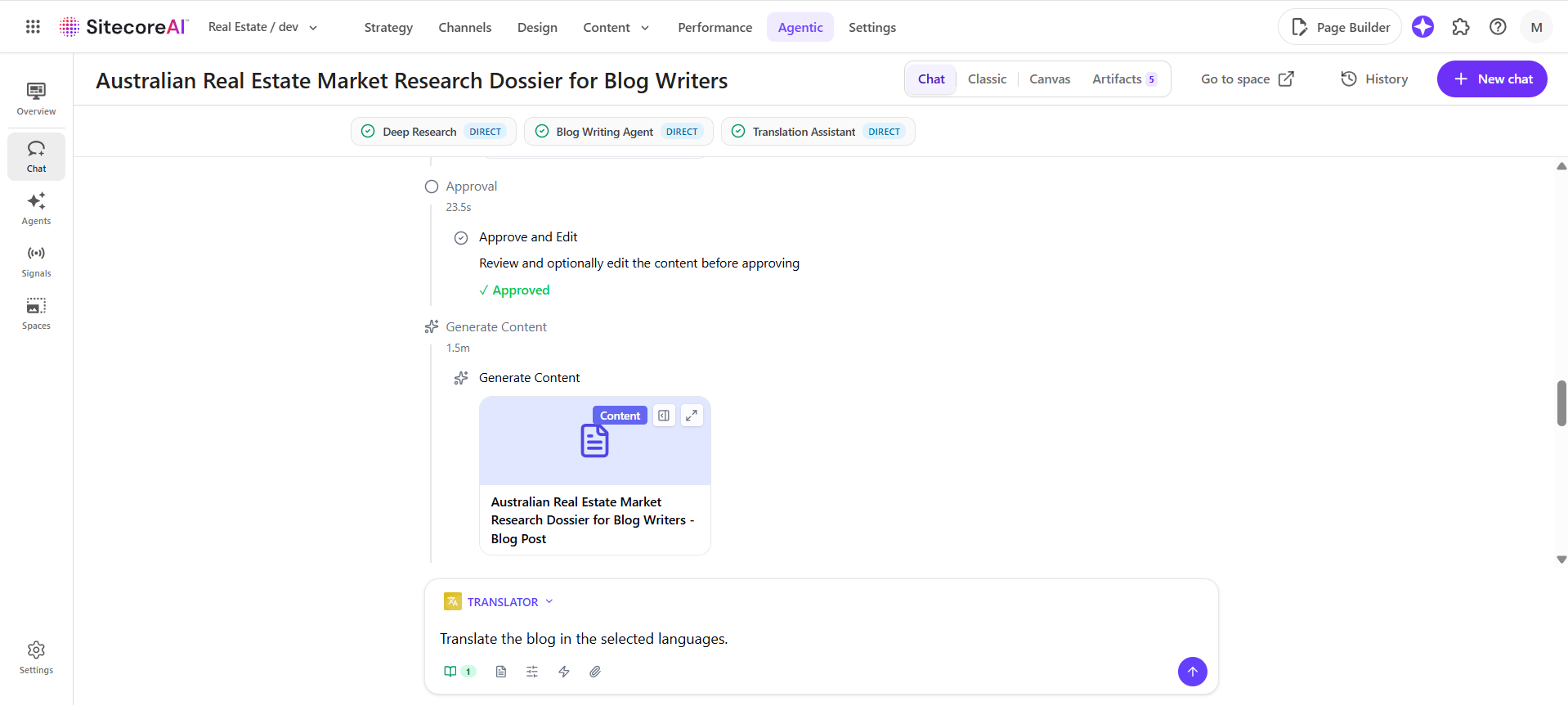
With the content artifact added, enter a prompt to translate the attached content into the selected languages while maintaining its formatting, headings, hyperlinks, and overall structure.
Once the request is submitted, the Translator Agent processes the attached artifact and produces translated versions while keeping the meaning of the original content.
Review the AI-Generated Translation
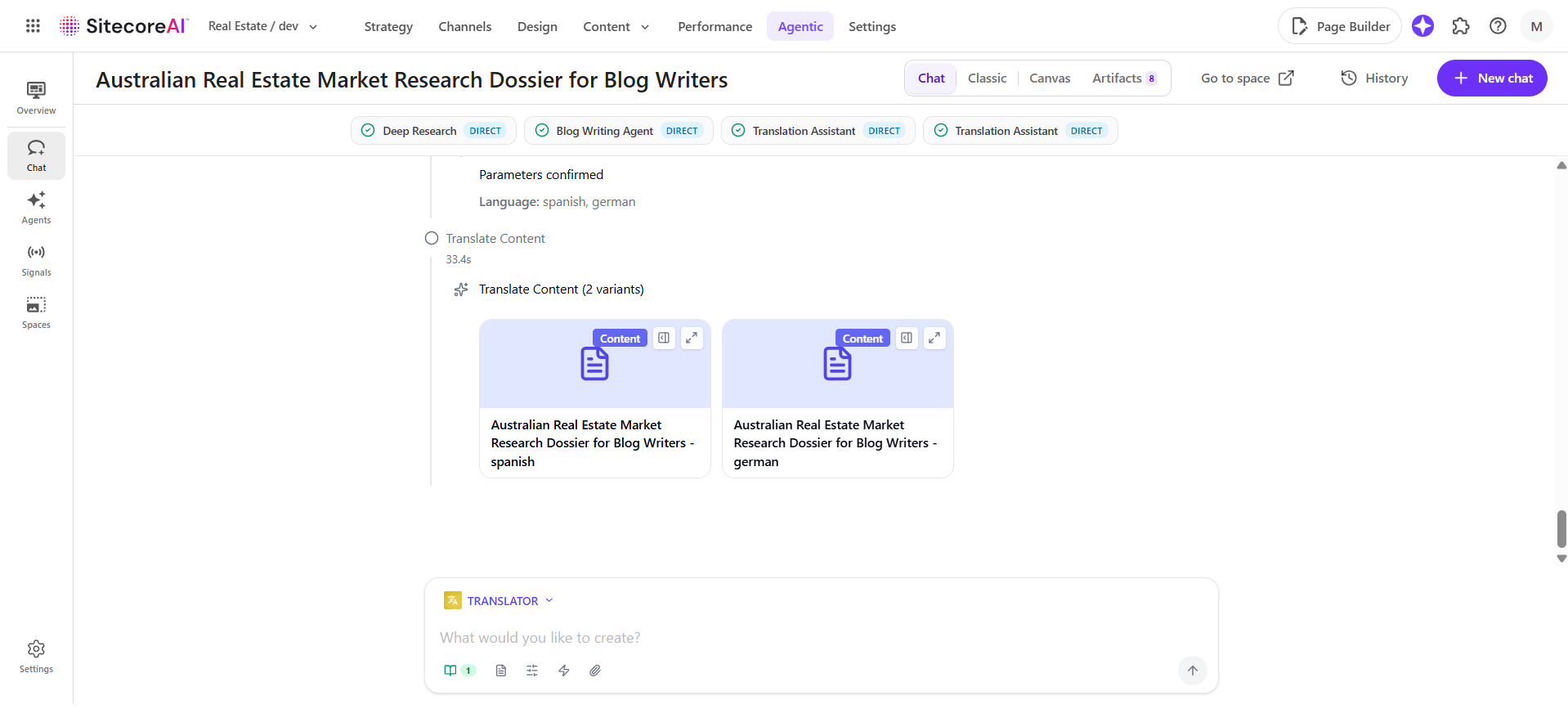
After the translation is done, review each translation to guarantee that it aligns with your organization's tone of voice, and localization requirements.
Check whether the formatting, headings, hyperlinks, and content structure have been preserved, and make any necessary changes before finalizing the translated content.
Verify the Language Versions
Verify that the content, metadata, and page structure have been correctly created by opening the translated language versions. Before publishing, confirm that all necessary areas have been translated accurately.
To convert the generated content into a draft, click the Apply Changes button. As soon as you select the option, it will generate a prompt by itself; review the prompt and press Enter.
The Translated Website's Preview
Lastly, check that the translated material is rendered appropriately by previewing the translated page on the website. Verify that end users see the layout, formatting, navigation, pictures, and translated content as intended
Common Use Cases
The Translator Agent is useful in many different multilingual situations, such as:
Business websites that cater to a global audience
Knowledge bases and product documentation
Regional marketing initiatives
Localization of news articles and blogs
Local landing pages
Promotional and event materials
Product descriptions for e-commerce
Benefits of Using the Translator Agent
The figure below shows the main advantages of utilizing the SitecoreAI Translator Agent and how it makes creating multilingual content easier for businesses while increasing productivity and consistency.
Accelerated Localization
Launch multilingual content faster with AI-powered translation.Improved Productivity
Translate and manage content without leaving SitecoreAI.Consistent Brand Experience
Maintain structure, formatting, and brand voice across languages.Simplified Content Operations
Reduce manual effort through automated translation workflows.Global Content at Scale
Encourage safe multilingual publication beyond local limits.
Best Practices for AI-Powered Translation
Consider the following best practices to produce translations of the greatest quality:
Examine AI-generated translations before publishing that interact with customers.
Translate completed source material to reduce the need for repetitive translations.
Use acceptable business vocabulary to keep your language consistent.
In addition to body content, check localized metadata, page titles, and SEO fields.
Before posting, test translated pages on various devices.
For text that is legally or technically sensitive, combine AI translation with human evaluation.
Keep language versions up to date whenever the source content is updated.
Using the Translator Agent Alongside Other SitecoreAI Tools
When paired with other SitecoreAI features, the Translator Agent offers even more value, resulting in an effortless AI-powered content workflow.
Use any SitecoreAI agent to generate content.
Make sure the content aligns with your company's tone, style, and brand guidelines by using a brand kit.
To translate approved content into one or more languages, use the Translator Agent.
Localized content can be reviewed and published within Sitecore.
Create content more quickly, maintain brand consistency, and offer multilingual digital experiences with a single AI-powered platform.
Conclusion
The SitecoreAI Translator Agent revolutionizes the creation of multilingual content by integrating AI-powered translation directly into the Sitecore ecosystem. Authors may produce, test, and publish localized material from a single platform rather than depending on different translation processes and manual content conversion. With this best AI Translator Agent, Techxot helps businesses to provide uniform digital experiences to audiences throughout the world while preserving the governance and publishing workflows already set up within Sitecore by minimizing manual labor, preserving content structure, and speeding up localization.