

Introduction
Techxot is an official Umbraco Silver Partner with proven 10+ years of experience delivering solutions to complex Umbraco migrations and upgrades. Techxot is a team of experts that handle cloud-ready, modern .NET platforms, deprecated APIs and legacy migration effortlessly.
With more than 30 Umbraco migration Techxot ensures structured migration that are SEO safe, carried out with minimal risks, zero data and media loss. As an official Umbraco partner, we promise to deliver standard Umbraco solutions for future proofing platforms for growth, stability and optimization.
Now let’s get into a deep dive to see whether Umbraco cloud is worth it.
After weeks gone into planning, rebuilding and validating every phase of migration journey taking the umbraco v13 project live was the ultimate destination of the roadmap, it was time for the next challenge – deploying everything on Umbraco Cloud. Testing deployment pipelines, optimizing performance and configuration management.
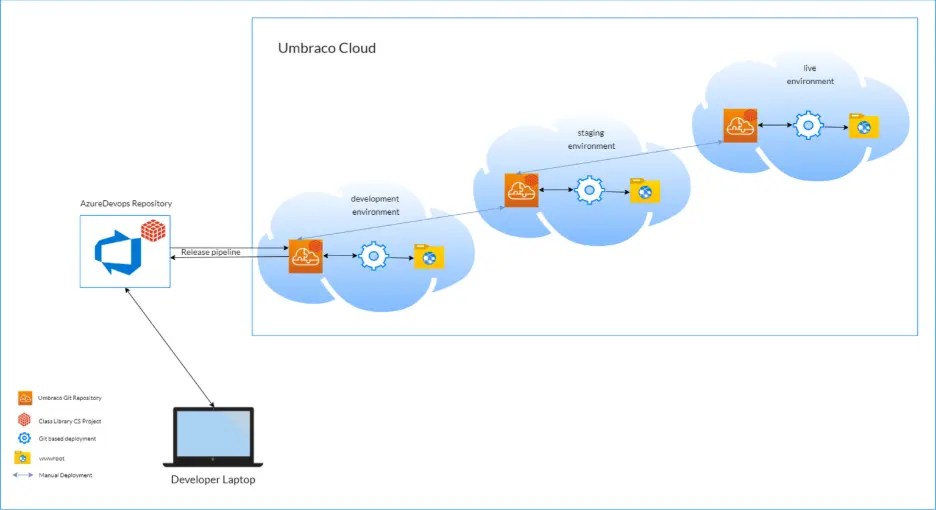
The CI/CD pipeline is managed internally by Umbraco Cloud. Users interact with it through Git operations and environment promotion screens rather than a standalone pipeline UI.
Azure DevOps can be used as an external repository where pipelines enable automatic synchronization, keep the source code in sync with Umbraco cloud, and no manual updates are required. It ensures continuous integration and consistent deployments across environments.
The sync in the Umbraco cloud git repository is completed in the development environment where authentication requires cloud API access. For this authentication you are required to have a project ID and API key which could be easily found under Umbraco cloud portal, you can navigate from configuration > advanced and store the credentials securely.
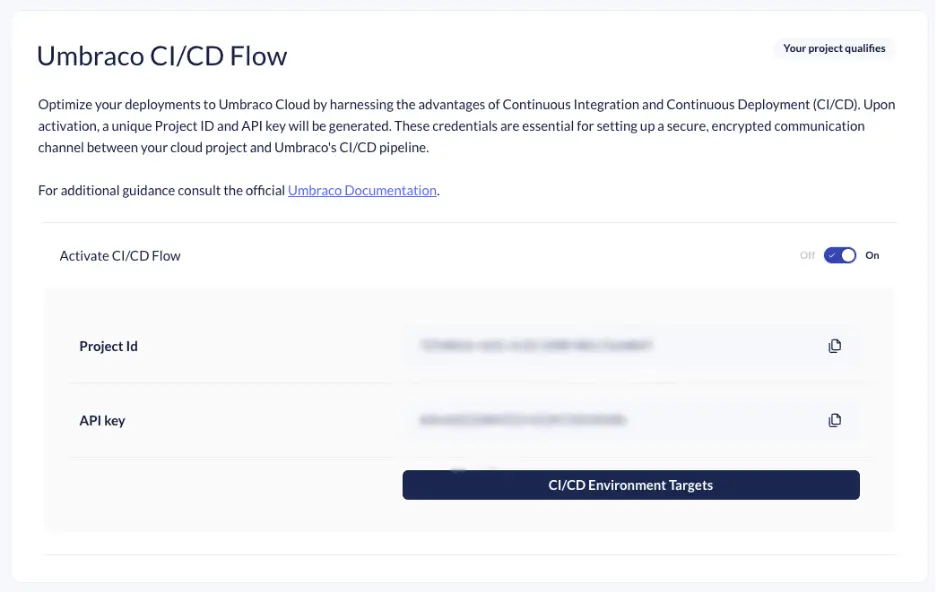
This stage involved a mix of technical configuration, testing, and a few surprises (especially with image caching).
Here’s how we managed the deployment step by step
1. Testing Content and Media
Before pushing anything to the cloud, we performed a full validation locally:
– Checked that all content and media imported correctly
– Verified page rendering, templates, and linked media paths
– Regenerated crops and confirmed the front-end output matched the old v8 site
This step ensured that the local project was stable enough to deploy.
2. Git Push to the Cloud Development Environment
Umbraco Cloud follows a Git-based deployment model. The local codebase was connected to the Cloud project development repository, and all application changes including models, templates, and configuration were committed and pushed.
Every push triggered an automated build pipeline, with this every change was auto deployed to the environment, and the deployment process was completed successfully. The main challenges appeared in the post deployment phase, which required more validation and fixes.
3. Content Transfer and Other Options
Umbraco Cloud provides multiple ways to transfer content between environments:
– uSync Deploy
– Content Transfer from Backoffice
–Partial content sync
For this Umbraco migration, Backoffice Content Transfer was used to move newly migrated content nodes into the Umbraco Cloud development environment. This approach allowed editors to immediately review and validate the imported content, layouts, and overall structure within the live environment.
4. Restoring Database to Cloud
A database schema was migrated locally, and a validated backup was created for cloud restore to Umbraco cloud database. All this was done using Azure SQL connection which ensured data consistency post data restoration.
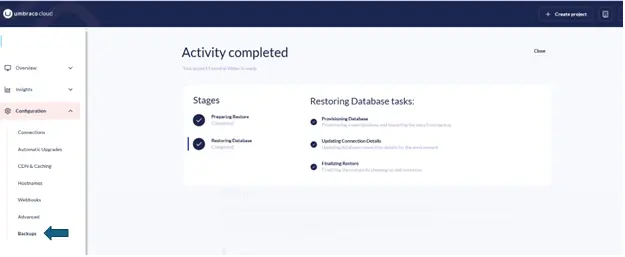
Post data restoration and environment verification were performed to ensure data integrity, application functionality, configuration, and performance to confirm readiness.
Verification steps included:
– Confirming that all required database tables were created correctly
– Validating that content and media GUIDs matched the imported nodes
– Rebuilding and validating Examine indexes
– Verifying preservation of historical form entries and submission data
– Ensuring content rendered correctly across migrated templates
Once these checks were completed, consistency between environments was confirmed and the system was considered fully synchronized.
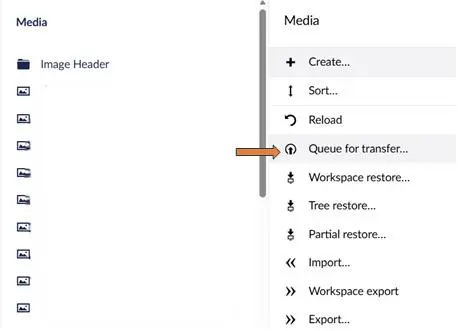
5. Media Transfer via Queue Transfer
For media, we used the Queue for transfer feature on Umbraco Cloud.This method allowed us to upload large volumes of media files directly without timeouts or corruption.
After synchronization, media URLs were verified to ensure correct delivery from Cloud storage.
6. Image Crop Caching Issue (Important)
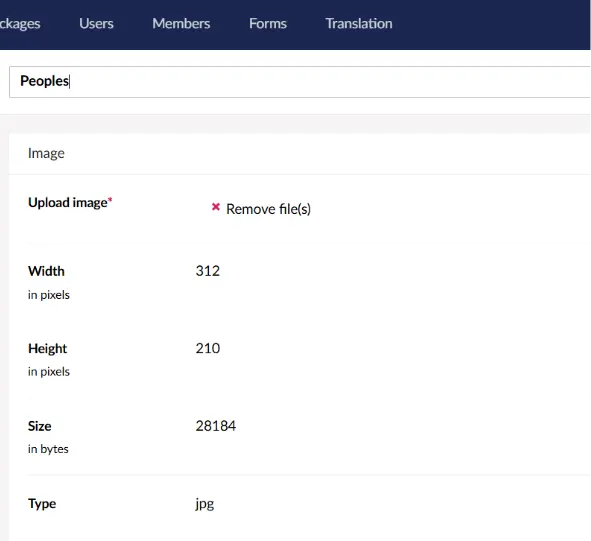
This was caused by a mismatch between local and Cloud media cache paths. The issue was resolved by
– Clearing the media cache in the Cloud environment
– Forcing Umbraco to regenerate image crops
– Updating appsettings.json to ensure consistent media path resolution across environments
Following these changes, image crops were generated and cached as expected.
7. Understanding the Cloud Repo Structure
Umbraco cloud uses a git repository to manage codes, configurations and schema changes. The repository follows structure layout and is organized into defined directories, where each directory has a specified role and supports full deployment lifecycle.
– /data/ → for uSync schema and configuration files
– /umbraco/ → core CMS components
– /wwwroot/ → compiled static assets and frontend files
In Umbraco Cloud, media is not stored in the git repository but stored separately in the application code persisted in Azure Blob storage which is managed independently from the codebase. This helps improve repository performance and supports scalable media storage.
Umbraco cloud separately stores schema and codes in git repository and media in Azure Blob storage to ensure scalable deployments, consistent environment synchronization to improve platform reliability.
8. Configuring SMTP and Secrets
SMTP settings were configured to support transactional emails, including form submissions and system notifications.
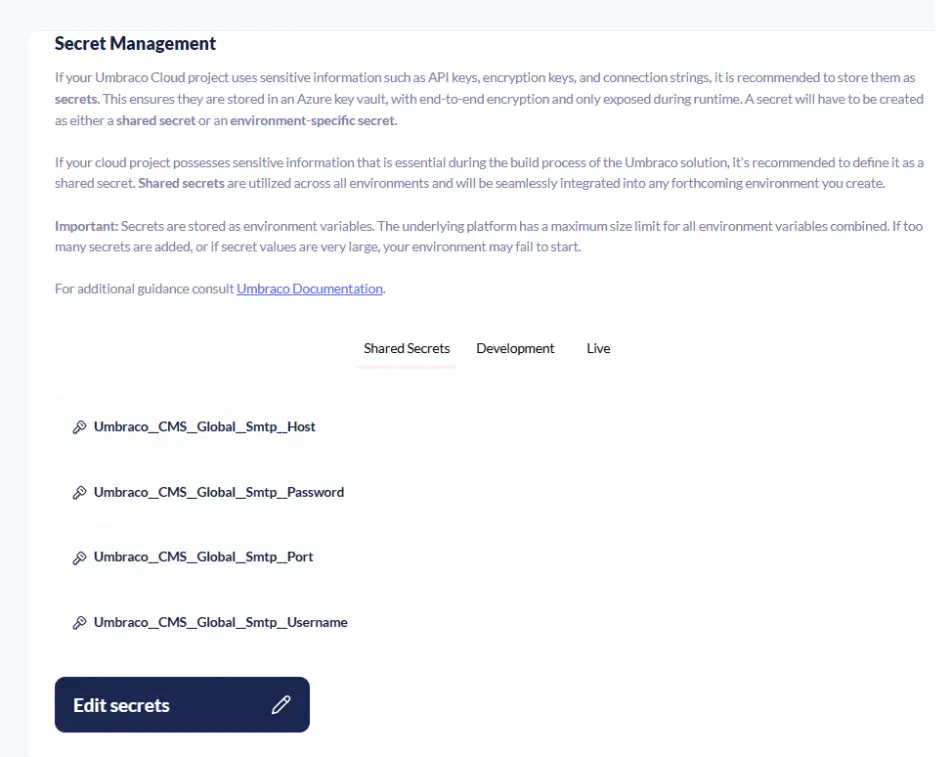
Using Umbraco Cloud’s Secrets Management, we securely stored:
– SMTP host and credentials
– API keys for external integrations
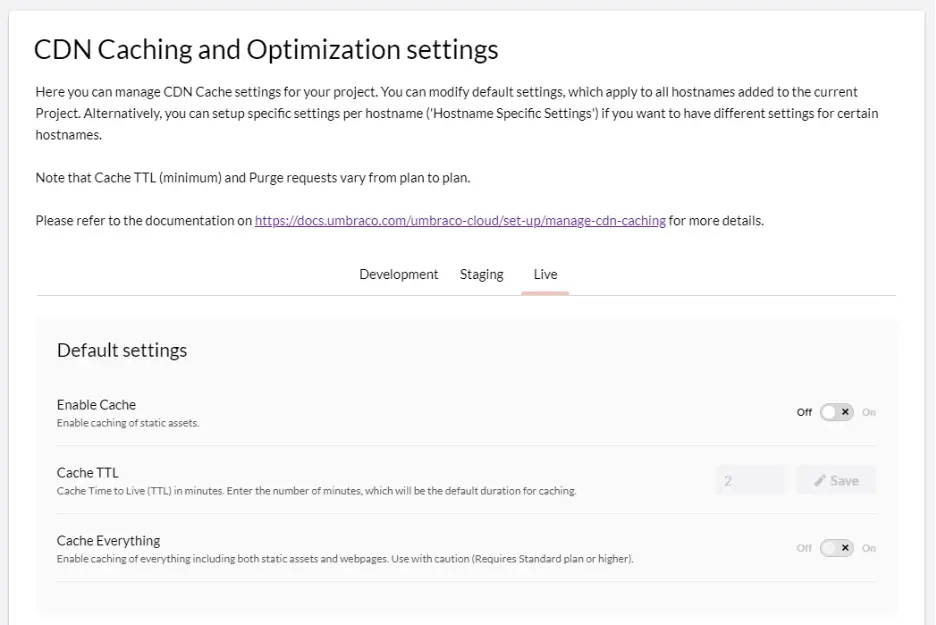
9. CDN, Caching, and Performance
Umbraco Cloud provides built-in CDN and caching features with Azure infrastructure. Cloud CDN enables media delivery, content delivery performance, cache header configuration for efficient caching and optimizing static asset caching and for consistent behavior across environments.
Front-end behavior was validated and confirmed that the assets were correctly served from CDN cache along with its cache behavior. This helped achieve faster page loads, improved global media delivery, and enhanced overall experience.
10.Dev → Live Deployment (Expectation vs Reality)
Finally, it was time to go live.
We expected a simple “push and publish” – but in reality, a few sync conflicts and cache delays appeared between environments.
To fix this, we:
–Synced all uSync schema first
– Deploy content from dev to live using Queue Transfer.
– Validated content across Dev → Live
– Manually requeued media transfers (As media storage is env specific)
Once complete, the live environment perfectly mirrored the development setup.
Conclusion
After the Umbraco v13 went live:
– All environments (Dev, Live) were stable and consistent
– SMTP, CDN, and cache worked seamlessly
– Editors could manage content with zero downtime
The project was finally live on Umbraco Cloud, faster, cleaner, and more maintainable than ever.
Umbraco is powerful when implemented correctly whether you are migrating or building future ready digital experiences, choosing a technical deep expertise will always make a difference. Partner with Umbraco service provider that doesn’t risk complexity and downtime.
Unlock your Umbraco potential with Techxot today! Get in touch.
Next up, wait for part 5 where we talk about key features and benefits of using Umbraco cloud. Click here to check out. Why We Chose Umbraco Cloud and What Makes It Worth It